Vinyl surface noise causes fall into four families that each have a distinct sound signature: dust and static (a broadband haze), pressing defects (baked into the groove), physical damage (rhythmic and repeatable), and setup or electrical faults (constant, independent of the record). Dust and static alone account for well over 80% of the noisy records that reach my bench, so learn to hear which family you are in and you fix the right problem the first time.
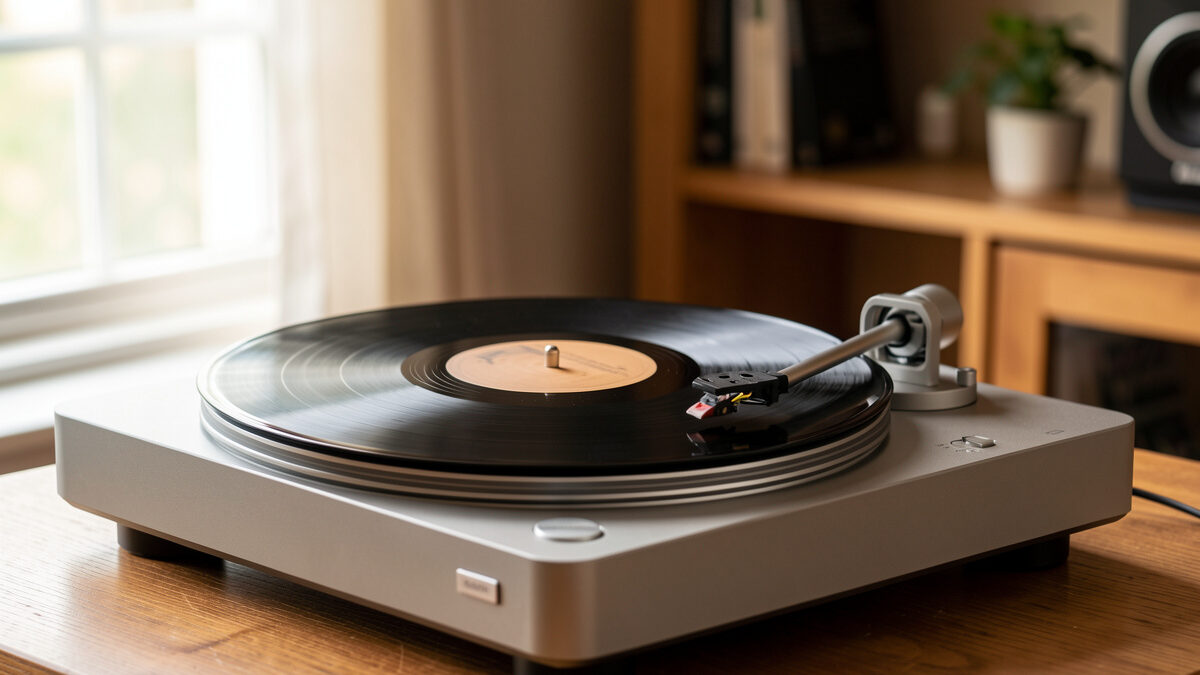
I run a Technics SL-1200-class direct drive next to a rebuilt Rega P3 and a Pro-Ject belt table in my listening space, and the single most useful diagnostic skill I have picked up in years of setting up decks is not a gauge reading — it is telling noise apart by ear before I touch anything. Reach for a brush when the problem is a worn stylus, or swap the cartridge when the real culprit is a ground loop, and you have spent money and hours on the wrong repair. This guide is the decision tree I actually use at the bench: listen first, isolate the variable, then act.
The Four Families of Vinyl Noise
Almost every complaint I get — “my records are noisy” — resolves into one of four categories, and each one sounds different. Dust and static noise is broadband: a continuous, airy hiss-crackle that rides on top of the music and changes when you clean the record. Pressing noise is intrinsic to that specific disc and stays put no matter what you do. Damage noise is periodic — it repeats on a fixed schedule tied to the platter’s rotation. Setup and electrical noise ignores the record entirely: it is there with the stylus in a silent groove, or even with the arm lifted.
The reason this framing matters is that the fix for each is completely different. Cleaning cures dust and static. Nothing cures a pressing defect except a different copy. Damage is sometimes recoverable, often not. And setup or electrical noise is a wiring, grounding, or alignment job that has nothing to do with the record’s surface at all. Get the family right and you have already done ninety percent of the diagnostic work.

Dust and Static: The Broadband Haze
Dust and static are the most common cause of surface noise by a wide margin, and the good news is they are the easiest to fix. The signature is a continuous, fine crackle-hiss spread evenly across the whole record — it does not repeat on a beat, it does not care about the music, and crucially it changes the moment you clean the disc. If a carbon-fiber brush pass audibly knocks the noise down, you were listening to dust sitting in the groove, not damage cut into it.
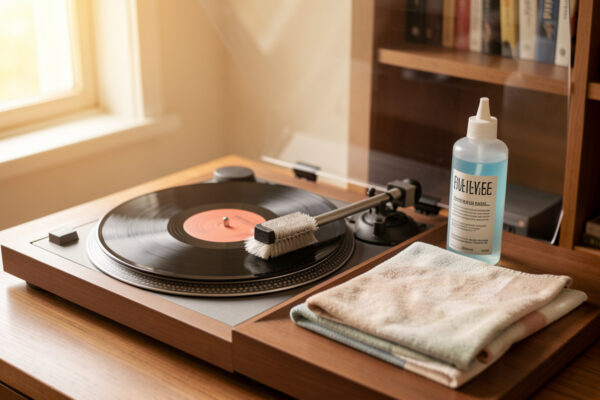
Static makes dust worse because a charged record actively pulls airborne particles back into the groove the instant you have cleaned it. In a dry Swedish winter my un-treated records can build enough charge to crackle audibly and cling to the inner sleeve. The fix stack is simple and cheap: a carbon-fiber brush before every side, a proper wet clean for anything that stays noisy, and anti-static measures plus fresh inner sleeves to stop the charge rebuilding. If you have never deep-cleaned a record, my full record cleaning guide walks the whole method, and the brush comparison covers what actually lifts particles versus what just pushes them around.
Pressing Defects: Noise Baked Into the Groove
Pressing noise is molded into that specific piece of vinyl at the plant and no amount of cleaning will touch it. It shows up as a consistent low-level roughness, non-fill (a gritty, torn sound where the vinyl did not fully fill the stamper), or a repeating tick that is present on every copy of that title. The tell is simple: it survives a thorough wet clean unchanged, and often you can see it — a visible seam, a cloudy patch, or a warp — under a raking light.
New records surprise people here. A sealed disc can arrive noisy straight out of the shrink, and that is almost never dust — it is either a pressing issue or paper/mold-release residue from the sleeve. I cover how to separate a genuine plant defect from a fixable setup problem in the dedicated guide on why new vinyl sounds noisy. If the noise is consistent, survives cleaning, and you can find a forum thread of other owners describing the same tick at the same spot, you have a pressing defect and the only real fix is an exchange. This is also where pressing quality between originals and represses genuinely matters.
Physical Damage: Rhythmic, Repeatable Noise
Damage is the family that repeats on a schedule. A 33⅓ RPM record turns at roughly 0.556 revolutions per second, so a scratch or a gouge produces a tick or pop once per revolution — about every 1.8 seconds — landing in the same place regardless of the music underneath. That periodicity is the fingerprint. If you can tap along to the noise at a steady rate, you are hearing damage, not dust.
Not all damage sounds the same. A single radial scratch gives one clean tick per rotation; a scuff or a cluster of fine scratches gives a burst of crackle at one point on the platter’s turn. Heat damage and groove wear from a worn or mistracking stylus produce a raspy distortion, worst on loud passages and inner grooves. I break down how to identify a scratch purely by its rhythm in the guide on rhythmic ticking and spotting a scratch by ear, and where damage tips into skipping, my record-skip diagnostic takes over. Some damage is playable with a slightly higher tracking force or a fresh stylus profile; deep gouges are permanent.

Setup and Electrical Noise: When the Record Is Innocent
The fourth family is the one people misdiagnose most, because it is not on the record at all. Hum, hiss, and buzz that persist through a silent lead-in groove — or with the tonearm lifted entirely — are electrical or mechanical, not surface noise. A steady 50/60 Hz hum is almost always a grounding problem: a disconnected turntable ground wire, a ground loop, or an unshielded interconnect near a power supply. A constant hiss that rises and falls with the volume knob is your phono stage gain and cartridge match, not the vinyl.
Mechanical noise lives here too. Low-frequency rumble that you feel more than hear comes from a worn platter bearing or footfalls reaching the plinth through the shelf — a vibration isolation and footfall problem, not a cleaning one. I trace the full hum-versus-hiss chain in the guide on hiss and hum through the speakers. And when only one side is noisy, that is a strong clue the fault is in the channel — a cartridge, cable, or azimuth issue — which I cover in one channel noisier than the other. The quick test for the whole family: lift the arm. If the noise is still there, stop blaming the record.
The Diagnostic Decision Tree
Here is the sequence I run, in order, because each step isolates one variable. It takes about five minutes and it stops you from throwing money at the wrong part.
Step 1 — Lift the arm. Noise still present? It is electrical or mechanical (family four); go check grounding, the phono stage, and isolation. Silence? The noise is on the record; continue.
Step 2 — Is the noise rhythmic? A tick or pop on a steady ~1.8-second beat means damage (family three). Tap along to confirm periodicity.
Step 3 — Clean the record and replay. Noise drops noticeably? It was dust and static (family one) — finish the cleaning and treat static. No change at all? Continue.
Step 4 — Check other copies or other decks. Noise present on every copy of the title but not on other records? Pressing defect (family two). Present on this deck but not another? Back to setup and alignment.
| Noise Signature | Likely Family | Changes With Cleaning? | Rhythmic? | First Action |
|---|---|---|---|---|
| Continuous airy crackle-hiss | Dust & static | Yes — drops | No | Brush, wet clean, anti-static |
| Gritty roughness on one disc | Pressing defect | No | No | Compare copies; exchange |
| Tick/pop every ~1.8 s | Physical damage | No | Yes | Inspect under raking light |
| Steady low hum (50/60 Hz) | Electrical (grounding) | No | No | Check ground wire & loops |
| Hiss that tracks the volume | Electrical (gain/match) | No | No | Check phono stage & cartridge loading |
| Low rumble you feel | Mechanical (bearing/footfall) | No | No | Service bearing; isolate deck |
How Loud Should Quiet Vinyl Actually Be?
Set expectations honestly, because “silent” is not the target — clean, well-set-up vinyl still has a low noise floor, and chasing digital-black silence from an analog groove will make you miserable. A good pressing on a properly aligned deck sits at a quiet, even background you stop noticing once the music starts. What you are trying to eliminate is the intrusive stuff: the pops that jump out in quiet passages, the constant crackle that never lets up, the hum that sits under everything.
Those intrusive pops in otherwise quiet sections are their own diagnostic puzzle — usually dust lodged in a low-modulation groove where there is no music to mask it, sometimes a pinpoint of damage. I dig into that specific scenario in loud pops in quiet passages. The realistic outcome after a full clean and a dialed-in setup is not a dead-silent record — it is a record where the noise floor drops below the music and stays there.
Where Setup Quietly Fixes Noise
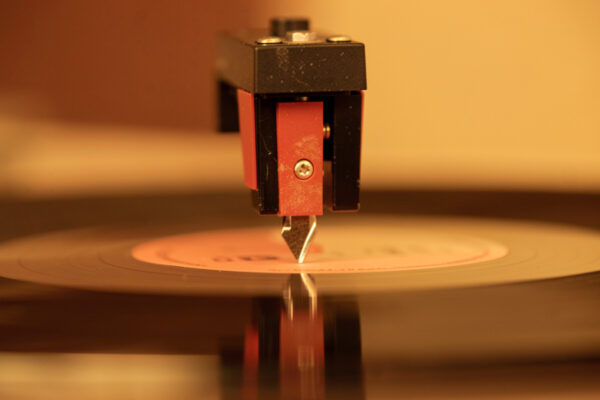
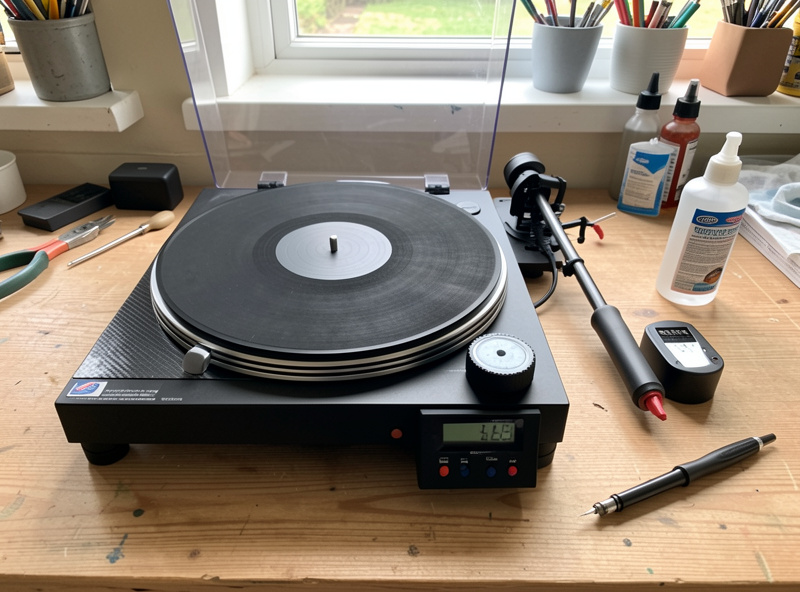
A surprising amount of “surface noise” is actually a setup problem wearing a disguise. A stylus tracking too light chatters in the groove and adds a raspy edge; too heavy and you accelerate wear that becomes permanent noise later. Mis-set anti-skate lets the stylus favor one groove wall, adding distortion that reads as noise on one channel. A worn or misaligned stylus — wrong alignment at the null points, off azimuth — mistracks and generates its own crackle that no cleaning will remove because the noise is being created in real time by the contact patch.
This is why my spending order is cleaning first, then setup, then the phono stage, then the cartridge, then the table — in that sequence. Most beginners invert it and buy a new deck to cure noise that a correct tracking force and a proper clean would have solved for the cost of a brush. If your stylus has hundreds of hours on it, replace it before you blame your records: a worn tip is a noise generator and a record killer at the same time. The right cartridge choice and correct loading matter, but only after the mechanical basics are right.
Does Cleaning Actually Fix It?
Cleaning fixes exactly one of the four families — dust and static — completely, and does nothing for the other three. That is the honest answer, and it is why the internet’s blanket advice to “just clean your records” fails so many people: they clean a disc whose noise is a pressing defect or a worn stylus and conclude cleaning is useless. It is not useless; it is specific. I lay out realistic before-and-after expectations, including which noises survive the best deep clean, in does surface noise go away after cleaning.
For genuinely grimy thrift finds, escalate the cleaning: a manual wet clean handles most, and an ultrasonic clean or vacuum machine pulls out embedded grime that hand cleaning leaves behind — my guide to cleaning used records covers mold and deep grime. A record-cleaning kit with fluid and lint-free cloths is the cheapest meaningful upgrade you can make. A basic record cleaning kit or a carbon-fiber brush pays for itself the first time it turns a “ruined” charity-shop disc quiet. As an Amazon Associate I earn from qualifying purchases.
A Bench Walk-Through: Tracing One Noisy Copy
Here is how the decision tree plays out in practice, using a used pressing I pulled off the shelf that had been bugging me. It crackled constantly and threw the occasional sharp pop. Following the sequence: I lifted the arm — dead silent through the speakers, so the fault was on the record, not the electronics. That immediately ruled out grounding and phono-stage hiss and saved me from second-guessing my wiring.
Next I listened for rhythm. The constant crackle was even and non-periodic — dust territory — but the sharp pop landed on a steady beat, roughly every 1.8 seconds, which is the signature of a single scratch turning past the stylus once per revolution. So I had two problems layered on one disc: a family-one issue and a family-three issue. A carbon-fiber brush pass and then a full wet clean killed about eighty percent of the constant crackle, confirming most of it was dust sitting in the groove. The rhythmic pop survived untouched, exactly as a scratch should. Under a raking light I found the culprit — a fine radial line near the second track. That one is permanent; the record is now a quiet, enjoyable copy with one repeating tick I have learned to ignore. The lesson is that noise is often layered, and the tree lets you peel it apart one variable at a time instead of guessing.
The Cleaning and Diagnostic Kit I Keep at the Bench
You do not need much to run every diagnosis in this guide, and none of it is expensive relative to a new deck. My permanent bench kit is a carbon-fiber brush for the pre-play pass, a bottle of record-cleaning fluid with lint-free cloths for wet cleaning, a stack of anti-static inner sleeves for incoming records, a digital stylus-force gauge reading to 0.01 g, and a two-point protractor for checking alignment at the null points. A bright angled light — even a phone torch held low — is the cheapest diagnostic tool of all for spotting scratches and non-fill.
If you are building this kit from scratch, start with the brush and a cleaning kit, because dust and static are the single most common cause of noise and the cheapest to fix. A carbon-fiber record brush and a digital stylus-force gauge together cost a fraction of a cartridge and solve or diagnose most noise complaints I see. Add the deeper cleaning gear — a vacuum or ultrasonic machine — only once you have a stack of grimy thrift finds that justify it. Spend in the order noise actually demands, not in the order the marketing suggests.
Frequently Asked Questions
What causes surface noise on vinyl records?
Four things: dust and static in the groove (a broadband crackle that cleaning removes), pressing defects molded into the disc, physical damage like scratches that repeat once per revolution, and setup or electrical faults such as grounding hum. Each has a distinct sound signature you can learn to hear.
How do I tell dust from a scratch by ear?
Dust is a continuous, even crackle-hiss that drops when you clean the record. A scratch is rhythmic — it ticks or pops once per revolution, about every 1.8 seconds at 33 RPM, in the same spot regardless of the music. If you can tap along to a steady beat, it is damage, not dust.
Is some surface noise on vinyl normal?
Yes. Even a clean record on a well-set-up deck has a low noise floor — analog grooves are not digitally silent. The goal is a quiet, even background that sits below the music, not total silence. Intrusive pops, constant crackle, or hum are the faults worth chasing.
Why is my brand new record noisy?
A sealed record can arrive noisy from a pressing defect, non-fill, or paper and mold-release residue from the sleeve — not dust. Clean it once to rule out residue; if the noise survives and appears at the same spot on other copies, it is a plant defect and warrants an exchange.
Can a worn stylus cause surface noise?
Yes, and it is commonly missed. A worn or misaligned stylus mistracks and generates crackle and raspy distortion in real time as it drags through the groove, which no cleaning can remove. If your stylus has several hundred hours on it, replace it before blaming your records.
Will cleaning remove all surface noise?
No. Cleaning fully cures dust and static but does nothing for pressing defects, physical damage, or setup and electrical faults. That is why blanket advice to just clean your records disappoints people whose noise comes from one of the other three families.
Related Guides
- Crackle on Every Record: Static, Dust, or Worn Stylus?
- New Vinyl Sounds Noisy: Pressing Defects vs Setup Issues
- Rhythmic Ticking on a Record: Spotting a Scratch by Ear
- Hiss and Hum Through the Speakers: Tracing Vinyl Noise
- Loud Pops in Quiet Passages: Dust, Damage, or Both
- One Channel Sounds Noisier Than the Other on Vinyl
- Does Surface Noise Go Away After Cleaning? An Honest Answer