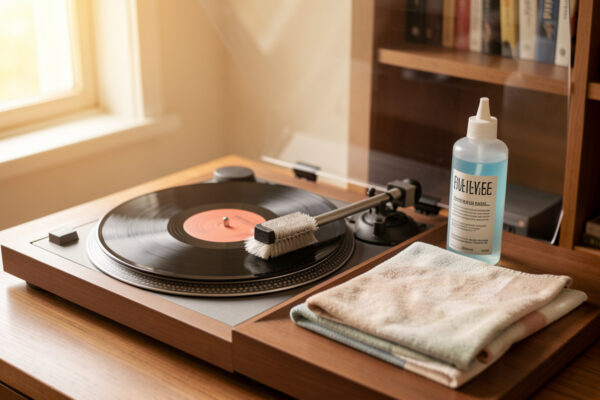
When new vinyl sounds noisy, the cause splits cleanly into two camps: pressing defects that came from the plant, and setup or handling issues on your end. A sealed record can arrive with a genuine manufacturing flaw, but just as often the “noisy new record” is mold-release residue, static, or a deck that is not tracking correctly. In my experience four out of five “noisy new record” complaints that reach my bench turn out to be residue or a deck tracking too light — under 1.5 g when the cartridge wants closer to 2 g — rather than a bad pressing. Cleaning once tells you which camp you are in.
It surprises people that a brand-new, still-sealed record can play noisy — surely new means perfect? It does not. Modern pressing runs are high-volume and quality control varies, and even a flawless disc picks up paper dust and manufacturing residue from its own sleeve before you ever open it. The trick is a repeatable test that separates a defect you should return from a problem you can fix at the bench.
First, Rule Out Residue and Static
Before you blame the pressing, do the one thing most people skip: clean the new record. Fresh vinyl arrives coated in mold-release compound and paper particles shed by the inner sleeve, both of which produce a light crackle straight out of the shrink wrap. This is not a defect and it is not permanent — a single wet clean removes it. I clean every new record before its first play precisely so I never confuse this residue for a pressing fault.
Static is the other innocent explanation. Peeling shrink wrap and sliding the disc out of a paper sleeve generates a charge that crackles and attracts dust immediately. A carbon-fiber brush pass and an anti-static sleeve handle it. Give the record a proper wet clean, swap the paper sleeve for an anti-static inner sleeve, and replay. If the noise is gone, it was never a defect — it was residue and static, exactly as it is on most “noisy” new records.

Recognizing a Real Pressing Defect
If the noise survives a clean, you are likely looking at a genuine pressing defect, and these have recognizable signatures. Non-fill is the most common: a gritty, torn-paper rasp, usually loudest at the start of a side or in high-frequency passages, caused by the molten vinyl failing to fully fill the stamper. Warps add wow and, if severe, a rhythmic noise. And a repeating tick that appears at the same musical moment on every copy of the title is a stamper flaw, not damage.
The confirming test is comparison. A pressing defect is baked into that specific manufacturing run, so it survives any cleaning and — critically — tends to appear on other copies of the same title at the same spot. If you can find owners of the same release describing the identical tick or rasp at the identical point, you have proof it is the pressing. That distinction matters because a defect is grounds for an exchange, and it is worth knowing whether the issue is the specific pressing you bought rather than vinyl in general. This diagnosis is one branch of the wider surface-noise decision tree.
When It’s Your Setup, Not the Record
The third possibility catches a lot of new hobbyists: the record is fine and the deck is adding the noise. A new turntable straight out of the box is rarely set up correctly. Tracking force set too light makes the stylus chatter and mistrack, adding crackle and sibilance to every record including brand-new ones; a protective stylus guard left on, a mis-set counterweight, or an anti-skate control at the wrong value all produce noise that has nothing to do with the vinyl.
The test is to play a record you know is clean — ideally on another deck if you have access to one. If your “noisy new records” are also noisy on a friend’s properly set-up turntable, the pressing is at fault; if they play clean elsewhere, your setup is the problem. Set tracking force to spec, confirm alignment with the setup and calibration guide, and check the cartridge alignment at the null points. A new deck that has never been dialed in is guilty until proven innocent.
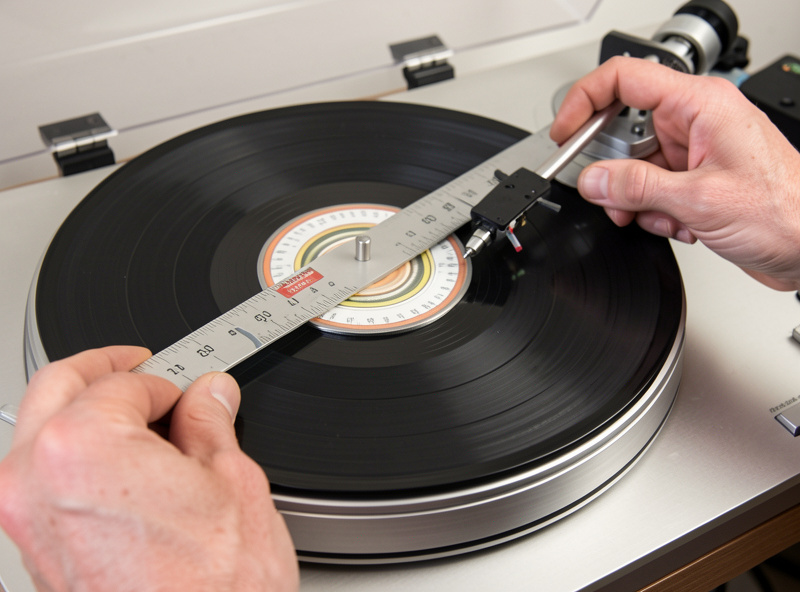
Pressing Defect vs Setup Issue: The Signatures
The two camps sound and behave differently once you know what to listen for. Use the table to place your symptom, then act on the matching column — return the record, or fix the bench.
| Symptom | Pressing Defect | Setup / Handling Issue |
|---|---|---|
| Gritty rasp on loud/high passages | Non-fill — return it | Rare; check VTF if mild |
| Survives a wet clean | Likely defect | Unlikely — residue would clear |
| Appears on other copies, same spot | Confirmed pressing flaw | No |
| Plays clean on another deck | No | Confirmed setup fault |
| Light crackle that cleaning removes | No | Residue & static — normal |
| Sibilance / chatter on every record | No | Tracking force or alignment |
What to Do With a Genuinely Defective Record
If you have confirmed a pressing defect — it survives cleaning, plays noisy on a properly set-up deck, and other owners report the same flaw — the right move is an exchange, not a repair. There is no cleaning method or setup tweak that removes non-fill or a stamper tick; the noise is physically molded into the groove. Most retailers and labels will replace a defective pressing, and reputable sellers expect the occasional return because plant QC genuinely varies.
Keep your expectations calibrated, though: even a good new pressing has a faint noise floor, and chasing digital silence from analog vinyl will only frustrate you. What you are returning a record for is intrusive, repeatable noise — a rasp you can hear over the music, a tick every revolution — not the gentle background that is simply the nature of the format. For borderline cases, a second opinion from other owners of the same release is worth more than any measurement I can give you at the bench.
Frequently Asked Questions
Why does my brand new vinyl sound noisy?
Usually one of three things: mold-release residue and paper dust from the sleeve (a light crackle a single clean removes), a genuine pressing defect like non-fill, or a turntable that is not set up correctly. Clean the record first — if the noise clears, it was residue, not a defect.
Should I clean a brand new record before playing it?
Yes. New vinyl arrives coated in mold-release compound and paper particles from the inner sleeve that produce a light crackle. A single wet clean removes both. Cleaning first also stops you mistaking harmless residue for a pressing defect and returning a perfectly good record.
How do I know if a new record has a pressing defect?
A pressing defect survives a wet clean unchanged and typically appears on other copies of the same title at the same spot. Non-fill sounds like a gritty rasp on loud or high-frequency passages. If the noise clears with cleaning or plays fine on another deck, it is not a pressing defect.
Can a new turntable make records sound noisy?
Yes. A new deck out of the box is rarely dialed in — tracking force set too light, a stylus guard left on, or wrong anti-skate all add crackle and sibilance to every record, new ones included. Play a known-clean record and set tracking force to spec before blaming the pressing.
Can I return a noisy new record?
If it is a confirmed pressing defect — noise that survives cleaning, plays noisy on a properly set-up deck, and matches what other owners report — yes, exchange it. No cleaning or setup tweak removes non-fill or a stamper tick, and reputable sellers expect occasional returns because plant quality control varies.
Related Guides
- Vinyl Surface Noise: Causes and How to Diagnose It by Ear
- Crackle on Every Record: Static, Dust, or Worn Stylus?
- Original Press vs Repress: Which Sounds Better?
- Setting Up a Turntable for the First Time
- Does Surface Noise Go Away After Cleaning?