When one channel sounds noisier than the other on vinyl, the fault is in the signal path for that channel — not the record surface, which affects both channels roughly equally. The usual suspects are azimuth (the stylus tilt), a dirty or worn stylus contacting one groove wall harder, a bad cable or connection, or a channel imbalance in the cartridge or phono stage. A healthy cartridge holds 20–30 dB of channel separation; when the stylus reads one groove wall worse than the other that figure collapses and one side goes noisy. A few swap tests isolate the cause fast — on the decks I set up it is far more often a dirty stylus or a loose cartridge clip than a dead cartridge.
The key insight is that a stereo record carries the left channel on one groove wall and the right channel on the other, cut at 45 degrees. Anything that makes the stylus read one wall worse than the other — tilt, wear, contamination, or a fault downstream in that channel’s wiring — shows up as one side being noisier, duller, or more distorted. Because the two channels are physically separate all the way from groove wall to speaker, you can test each link and find the weak one.
First, Confirm It’s the Channel and Not the Record
Start by proving the imbalance follows the channel, not the disc. Play several different records: if the same side is consistently noisier across all of them, the fault is in your system, because a whole collection will not happen to be damaged only on one channel. If only one record is lopsided, that disc has one-sided groove damage or wear, which is a record problem, not a setup one.
Next, the classic swap test: if your phono stage or amplifier lets you swap the left and right inputs, do it. If the noise moves to the other speaker when you swap, the fault is upstream of the swap point — in the turntable, cartridge, or cable. If the noise stays on the same speaker, the fault is downstream — in the amplifier channel or the speaker itself. That single test cleaves the problem in half and tells you which direction to keep looking. This channel-specific approach is one branch of the wider surface-noise diagnosis.

Azimuth: The Setup Cause People Miss
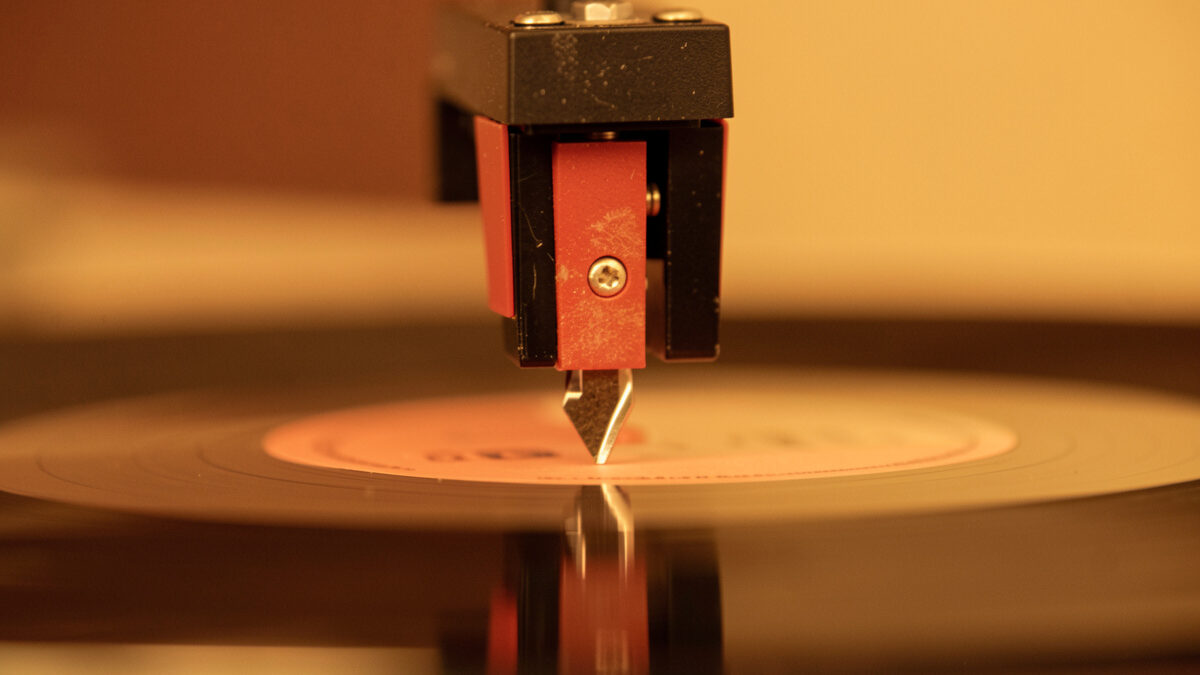
Azimuth is the tilt of the stylus in the groove viewed from the front — whether the stylus sits perfectly vertical or leans to one side. When azimuth is off, the stylus contacts one groove wall more squarely than the other, so one channel reads cleanly while the other picks up extra noise and distortion and loses separation. It is one of the most overlooked setup parameters because it needs checking from the front of the cartridge, not the side where you set overhang and tracking force.
You can get azimuth close by eye — the stylus should look vertical when viewed head-on against the record surface — and precise by measuring channel crosstalk or balance if your phono stage or a test record supports it. On many fixed-headshell arms azimuth is not adjustable, but a cartridge mounted slightly twisted in the headshell, or a warped headshell, throws it off. If one channel is noisier and sounds duller or more distorted, azimuth is a prime suspect. The full alignment picture, including how azimuth interacts with the other parameters, is in the setup and calibration guide and the cartridge alignment guide.
Stylus, Anti-Skate, and Cartridge Wear
A dirty or unevenly worn stylus is a common one-channel culprit. Debris stuck to one side of the tip, or asymmetric wear from years of use, makes contact with one groove wall worse than the other — and since each wall is a channel, you get one noisy side. Clean the stylus gently with a proper brush first; it is free and it fixes a surprising number of “my left channel is noisy” complaints. If cleaning does not help and the stylus has heavy hours on it, uneven wear is likely and a replacement is due.
Mis-set anti-skate also unbalances the channels. Anti-skate counteracts the inward pull on the tonearm; set wrong, the stylus presses harder against one groove wall than the other, raising distortion and noise on that channel. Set it to match your tracking force and see if the balance evens out. Finally, a genuine channel imbalance can live in the cartridge itself — a failing coil or a broken fine wire — or in the phono stage, which the swap test will have already pointed you toward.
Cables and Connections: The Cheap Fixes First
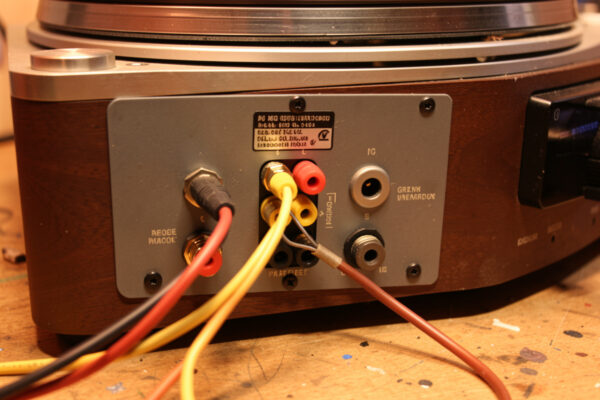
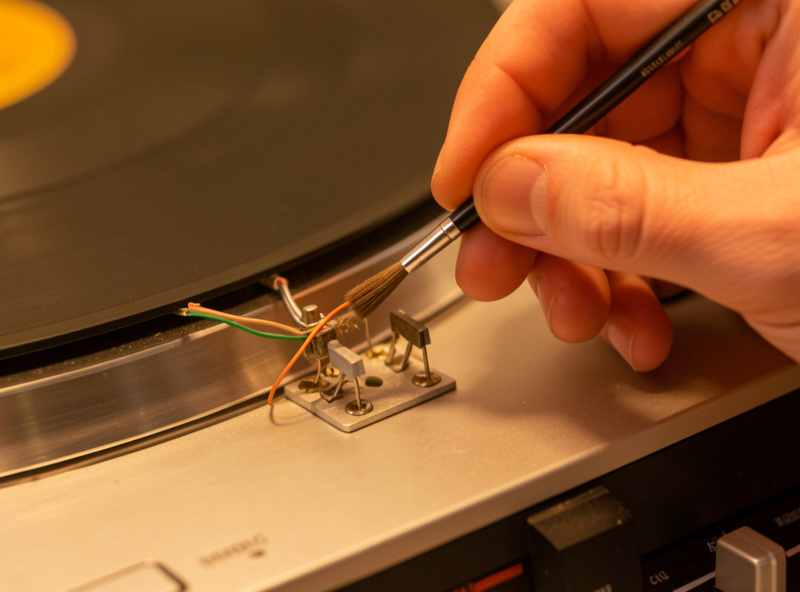
Before you touch alignment, rule out the cheapest cause: a bad connection. The tiny wires from the cartridge pins to the headshell tags, the RCA plugs at the phono stage, and the cartridge clips themselves are all single-channel connections, and a loose or corroded one adds noise, hum, or dropout on just that side. Reseat the four cartridge clips onto the pins, check they are snug, and make sure none has slipped or is touching another. A wiggle test — gently moving each cable while the record plays — will often reveal a crackly connection instantly.
Swap the left and right interconnects at the phono stage or amplifier as another version of the channel-swap test; if the noise follows the cable, that cable or its connection is the fault. Corroded RCA plugs and tarnished cartridge pins are common on older or secondhand gear — a careful clean of the contacts fixes them. These connection checks take two minutes and cost nothing, which is exactly why they come before any talk of replacing a cartridge or re-setting azimuth. Work cheap-to-expensive and you rarely spend money you did not need to. In my experience the order that solves the most cases fastest is: clean the stylus, reseat the cartridge clips and interconnects, run the channel-swap test, then check anti-skate and azimuth, and only then suspect the cartridge or phono stage itself. Skipping straight to a new cartridge is how people spend real money on a problem a two-minute clip reseat would have cured — the swap test exists precisely so you never guess.
Frequently Asked Questions
Why is one channel noisier than the other on my turntable?
Because record surface noise affects both channels equally, so a one-sided problem lives in that channel’s signal path. The usual causes are azimuth tilt, a dirty or unevenly worn stylus contacting one groove wall harder, mis-set anti-skate, a bad cable or cartridge clip, or a channel fault in the cartridge or phono stage.
How do I find which part is causing one noisy channel?
Swap the left and right inputs at your phono stage or amplifier. If the noise moves to the other speaker, the fault is upstream — turntable, cartridge, or cable. If it stays on the same speaker, the fault is downstream in the amplifier channel or speaker. That single test halves the search.
Can azimuth cause one channel to be noisy?
Yes. Azimuth is the stylus tilt viewed from the front. When it is off, the stylus reads one groove wall more squarely than the other, so one channel picks up extra noise and distortion and loses separation. If one side is noisier and also duller or more distorted, azimuth is a prime suspect.
Could a dirty stylus make one channel noisy?
Yes, and it is a common free fix. Debris stuck to one side of the stylus, or uneven wear, makes contact with one groove wall worse than the other, and each wall is a channel. Clean the stylus gently with a proper brush first; if that does not help and the tip has heavy hours, replace it.
Related Guides
- Vinyl Surface Noise: Causes and How to Diagnose It by Ear
- Cartridge Alignment Guide
- Anti-Skate Setting Guide
- Hiss and Hum Through the Speakers
- Turntable Setup and Calibration Guide